Registrations must be submitted through SchoolMint by June 30 each year to make sure that your child remains continuously enrolled. The online form must be completed for each scholar, if more than one attends.
IMPORTANT: Be sure to connect to SchoolMint the same way you connected when you applied to Amani. For some that is an email address, or phone number, plus password. Others may have used a Google or Facebook account to connect. The Guardian Log In Page provides each option. If you cannot remember your password or account, there are links to help you recover your information.
You will need these items, at minimum, to submit the registration form:
-Scholar’s Birth Certificate (no update needed if it is already in the form)
-Primary Contact’s Valid ID (no update needed if it is already in the form and still valid)
-Two (2) Up-To-Date Proof of Address documents from last 60 days (three (3) forms of proof required for Yonkers residents)
-New Students only: Report card
Health Records
Each student’s most recent medical exam form, and immunization record is required.
Health records are required for ALL new students, in all grades. New means this is the student’s first time at Amani. Health records for returning students are required in grades 5 and 7 only.
Deadline for health records: start of school
…
Helpful Screenshots
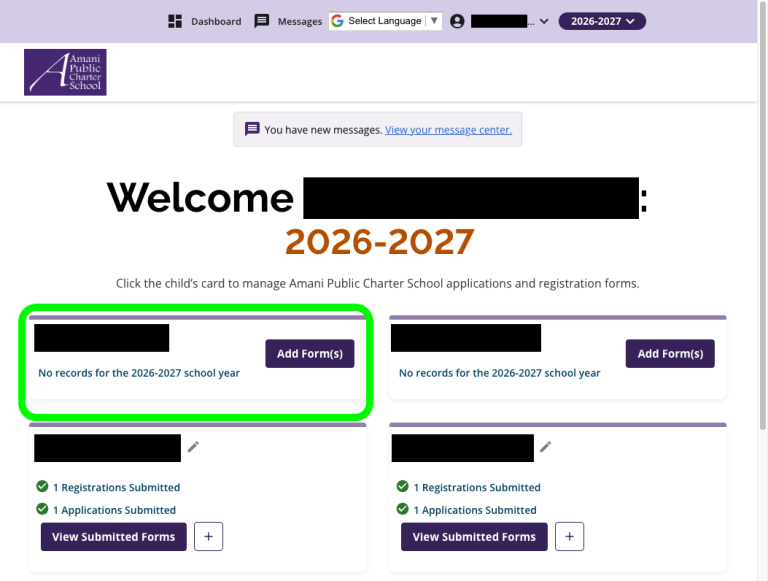
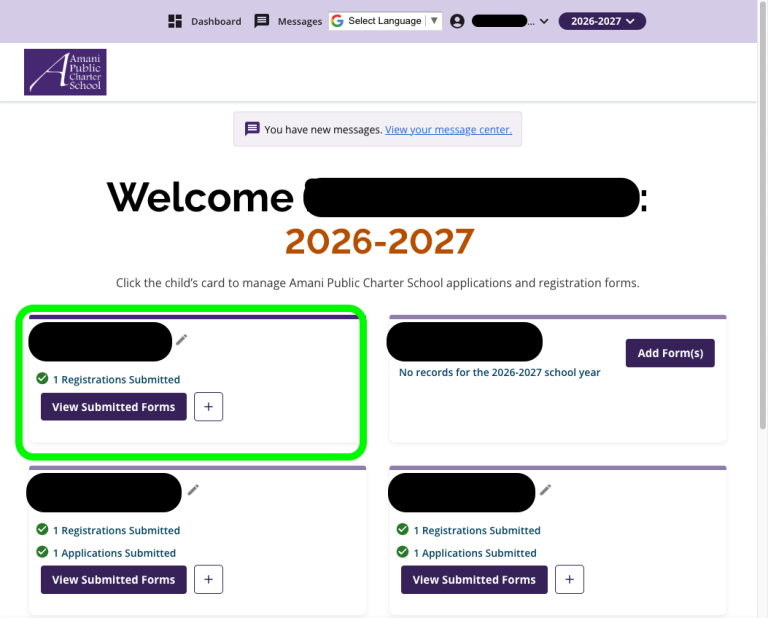
When you first connect to SchoolMint you will see a “card” for each child you have at Amani. Click where it says “Add Form(s)” to begin Re-Registration.
In this example, the Guardian has 4 children at Amani. The two at the top are returning students, and Re-Registration is necessary for each one. The two children represented at the bottom are new to Amani. The Guardian has already submitted an application and a new Registration for each one (that is what the green checks mean).
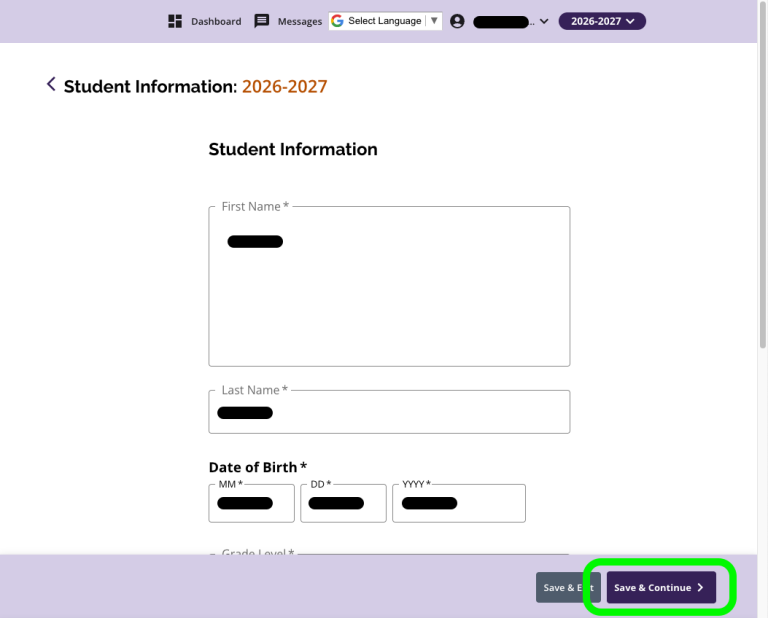
Next, you will see basic information about your scholar. Click Save & Continue >
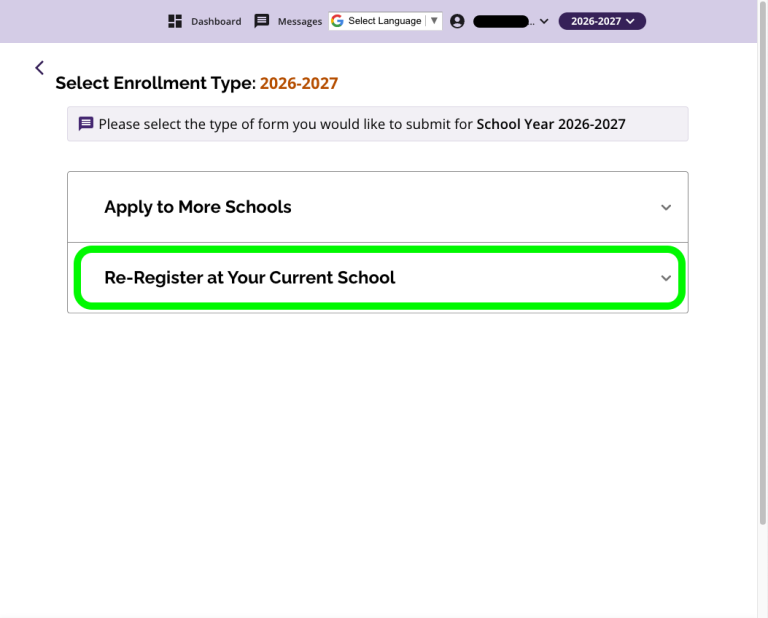
Choose ‘Re-Register at Your Current School’
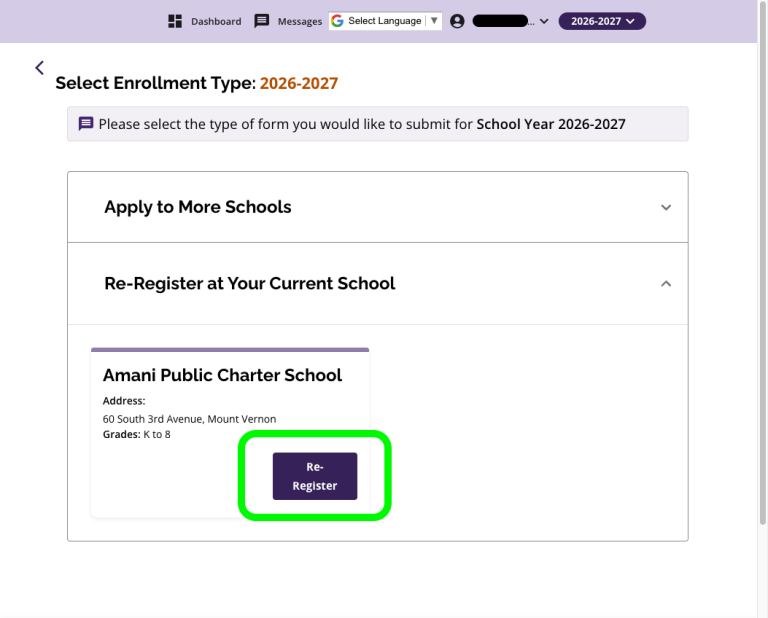
Press ‘Re-Register’
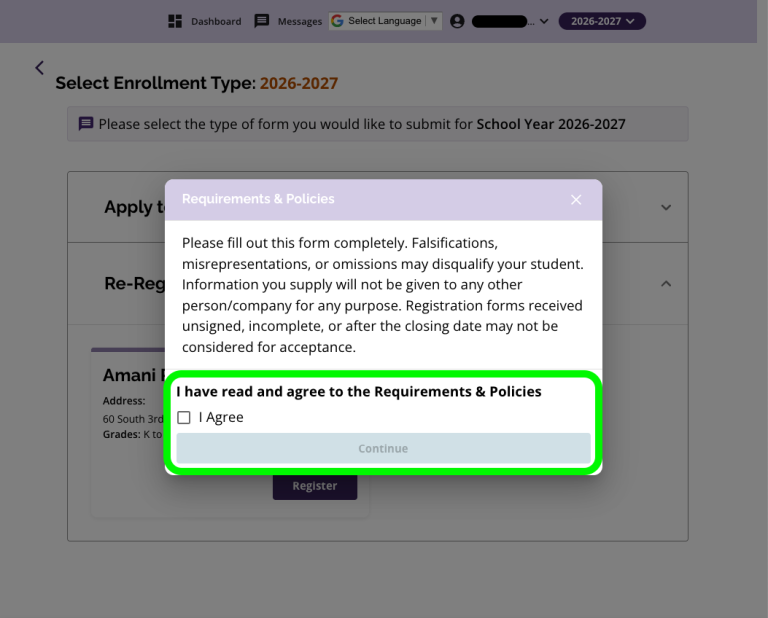
Check the box ‘I Agree’ and press ‘Continue to accept Requirements and Policies
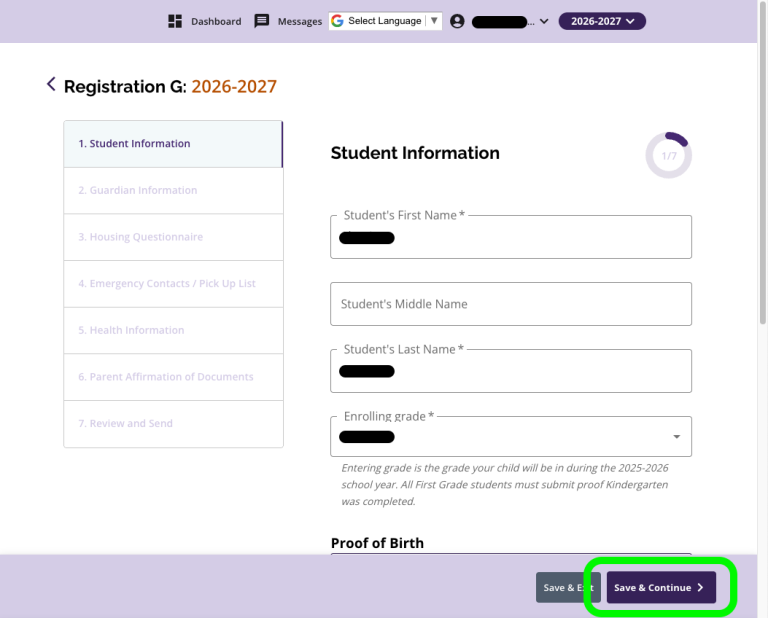
Now begin the steps of the Re-Registration form, and after completing each step, including uploading documents as requested, press ‘Save and Continue >’ to go through each next step
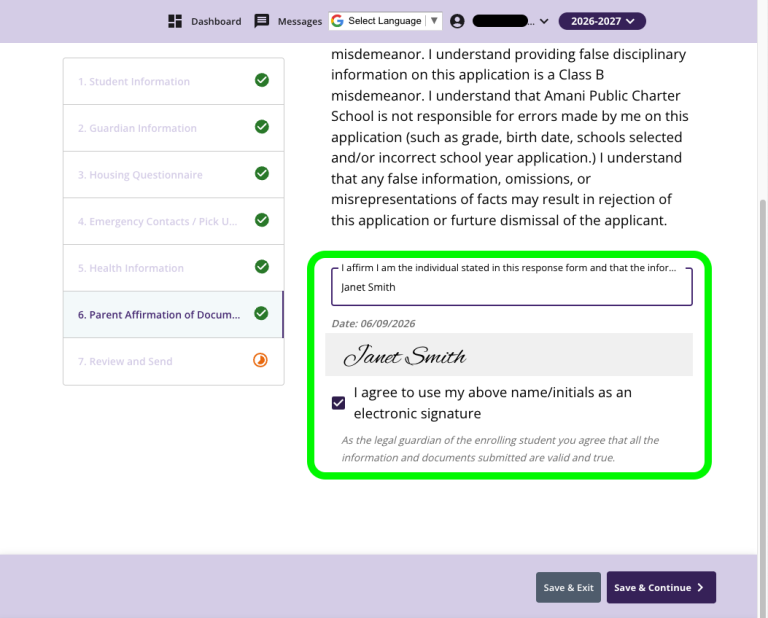
At the second from last step, affirm and sign the registration. Then press ‘Save & Continue >’
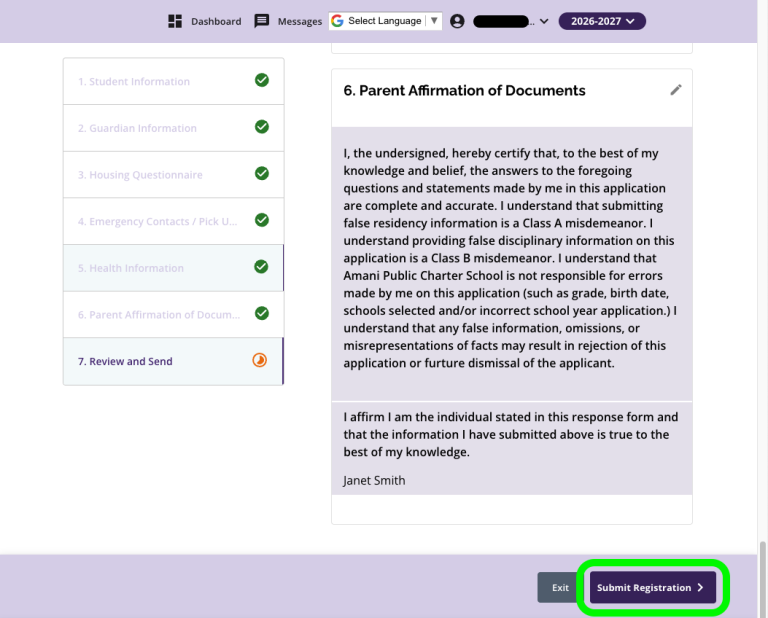
The final step is your chance to review all of your entries, and go back and make changes, if necessary. When the form is complete, press ‘Submit Registration >’
You will return to the first screen, and now you can see that 1 Re-Registration has been submitted (green check). If you have additional scholars at Amani, repeat the process by starting over using the card for the next child. You will receive a confirmation email and text, if you are signed up for email and text notifications. Thank you!